• Log In
  • Onboarding Tools For Space Operators
  • Proximity for Coworking - Space Operators
    • Reports
    • Billing & Invoices
    • Integrations
    • Automated Emails
    • Multispace Brand Dashboard
    • Support Tools for Space Operators
    • Space Dashboard
    • Team
    • Members & Memberships
    • Guest Pass & Nomad
    • Reservations & Resources
    • Events
    • Doors & Keys
    • Settings & Content
  • Proximity Terms of Service
  • FAQs - Proximity for Coworking
  • Workplace Platform
    • Resources & Workspaces
    • User Management
    • Reservation Management
    • General Info
    • Settings
    • Reports - Workplace
    • Integrations for Workplace
    • Onboarding - Workplace
    • Billing
    • User Help
    • Doors & Access
  • Training Videos
  • FAQs - Proximity for Workplace
  • Proximity Technology
    • Proximity Wave
    • Internet Integrations
    • Proximity Open
    • Panorama
    • Mobile App
  • Proximity for Coworking - Members
    • Manage my Membership
    • Manage my Reservations
    • Manage my Team

How can a member view/pay invoices?

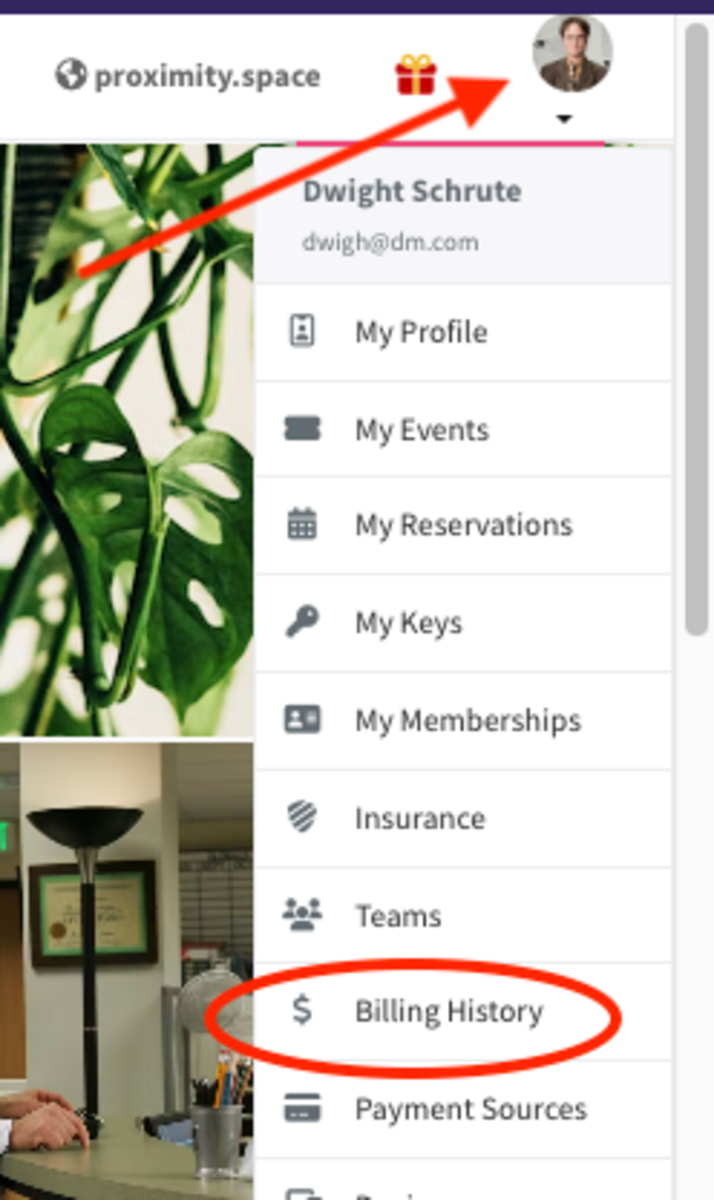
    1. Click your profile icon, and select the 'Billing History'

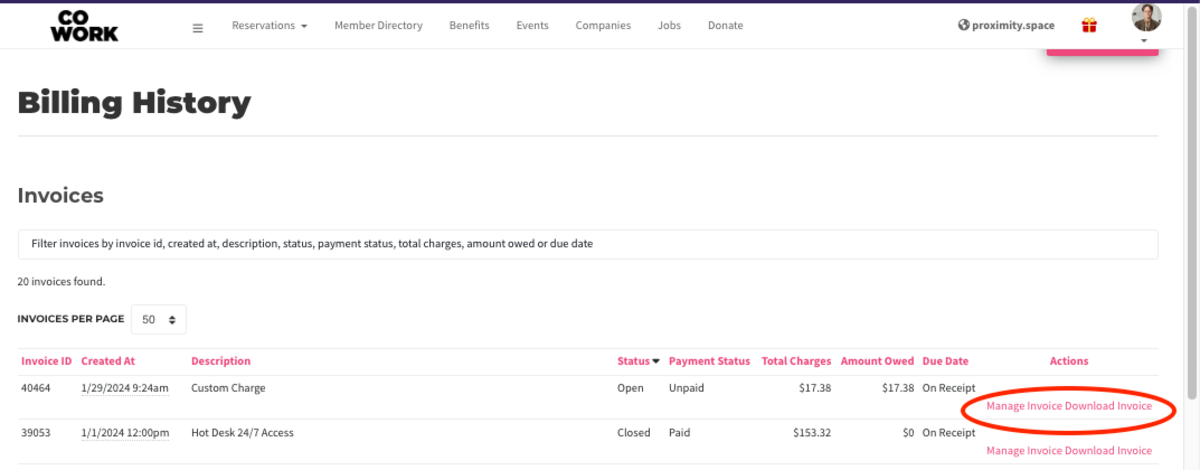
    2. Find the invoice and use "Manage Invoice" to pay or "Download Invoice" to download as a PDF.

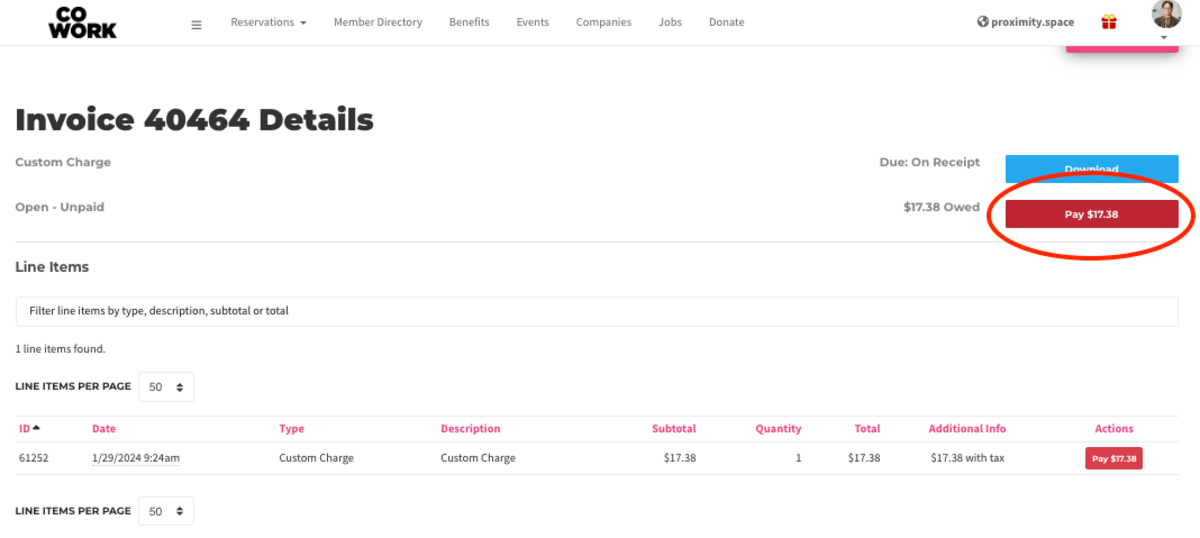
    3. If paying an invoice, click "Manage Invoice", and look for the red Pay button.

For Managers/Owners
Can I (or my member) manually charge a member for an unpaid invoice?


Last edit: Jan 29, 2024 at 10:22am

2024.1.1